
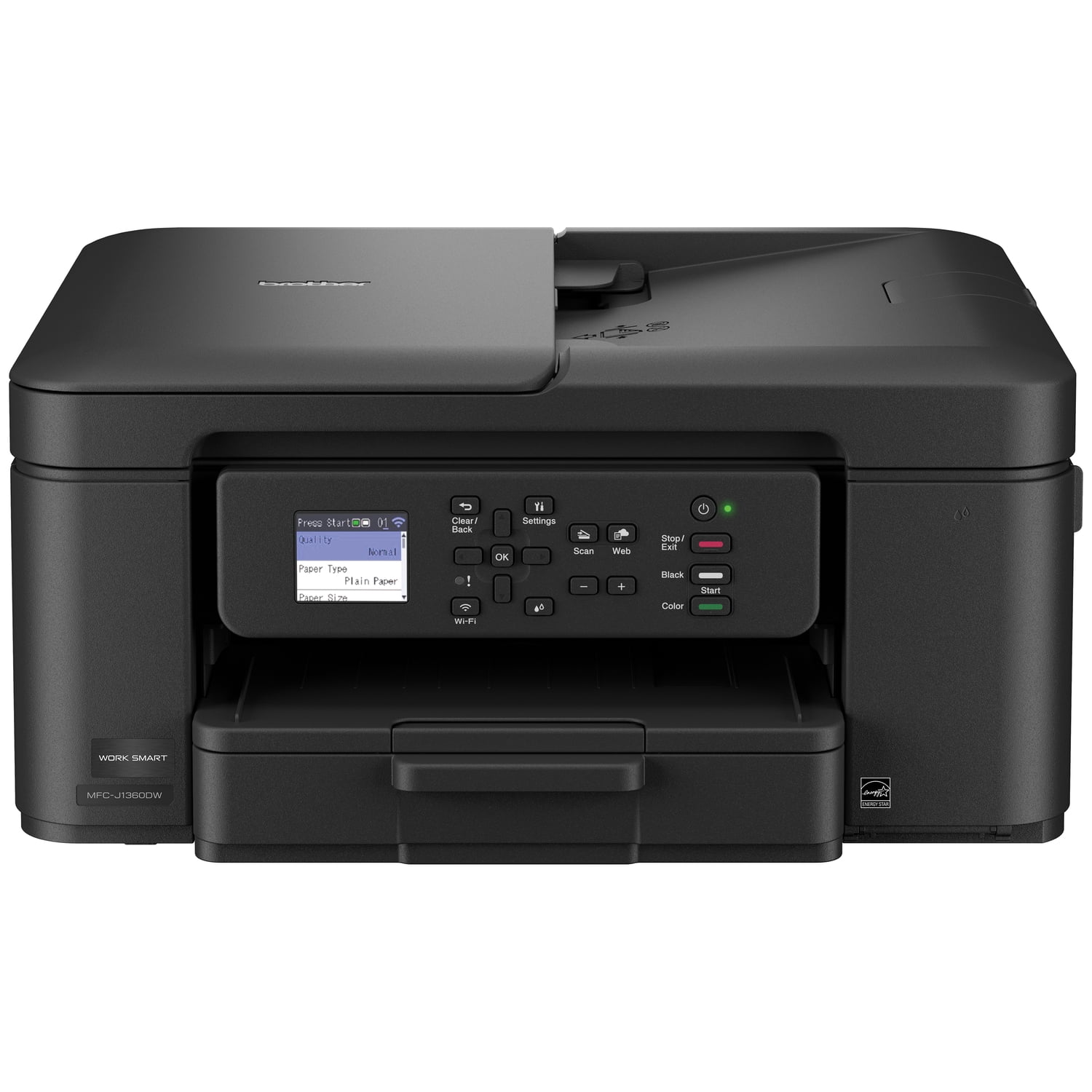
Brother MFC-J1360DW Work Smart Wireless All-in-One Color Printer – Prints on Both Sides, Copies and Scans Multiple Pages, Easy-to-Use Color Display
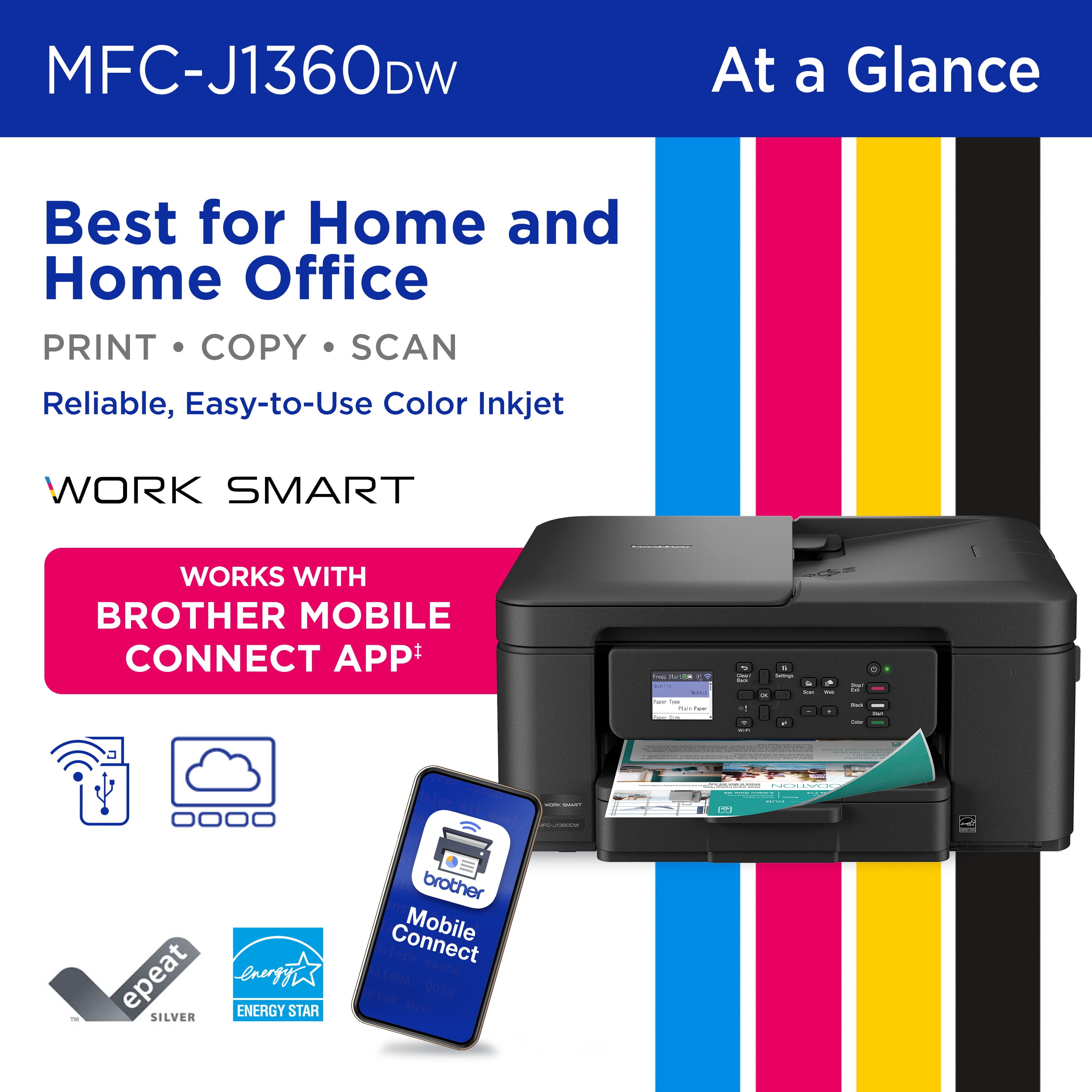
Looking for a reliable printer that’s easy to use? The Brother Work Smart 1360 Wireless All-in-One Color Printer makes everyday printing simple. It prints on both sides automatically, copies or scans stacks of pages for you, and connects easily to your Wi-Fi so you can print from your phone, tablet, or computer using the color screen on the printer. Whether you’re printing to-do lists, schoolwork, or work documents, you’ll get sharp black text and bright color prints at fast speeds. The printer also monitors your ink levels, so you know when it’s time to replace the cartridge. Setup is quick with the Brother Mobile Connect app(1), and once you’re connected, you can print from almost anywhere. For best results, use Brother Genuine LC501 Ink for consistent, dependable printing.
Brother MFC-J1360DW Inkjet Printer Helpful Product Details
What is the Brother MFC-J1360DW?
The Brother MFC-J1360DW is a wireless color inkjet all-in-one printer that can print, scan, and copy in one machine.
Can the Brother MFC-J1360DW print on both sides of the paper?
Yes. The Brother MFC-J1360DW inkjet printer automatically prints on both sides, which helps save paper and reduce printing costs.
Can the Brother MFC-J1360DW scan or copy multiple pages at once?
Yes. You can place a stack of pages in the top tray, and the Brother MFC-J1360DW will scan or copy them automatically instead of one page at a time.
Can I print from my phone or computer with the Brother MFC-J1360DW?
Yes. The Brother MFC-J1360DW inkjet printer lets you print wirelessly from your phone, tablet, laptop, or desktop computer using Wi-Fi1, and also lets you scan documents directly to popular cloud services like Google Drive™ and Dropbox2.
What is the 1.8” Color Display screen for the Brother MFC-J1360DW inkjet printer?
The color screen on the Brother MFC-J1360DW inkjet printer lets you start copying or scanning, change settings, connect to Wi-Fi, and check ink levels directly on the printer without using a computer.
Is the Brother MFC-J1360DW good for home or small office use?
Yes. The Brother MFC-J1360DW color inkjet printer is designed for home offices, remote workers, students, and families who need reliable everyday printing.
Why choose a Brother inkjet printer?
Brother is a brand you can count on. With a long history of making reliable products, Brother designs printers that are dependable, easy to use, and made to last. This focus on consistent, everyday performance is why many people trust Brother.
Why choose an inkjet or laser printer?
Inkjet and laser printers are designed for different printing needs. Inkjet printers are great for everyday home use, offering vibrant color, photo-quality prints, and low-cost color printing, especially if you print regularly. Laser printers are ideal for fast & high-volume document printing, delivering sharp text, quick speeds, and consistent results for home offices and small businesses use.
What kind of customer support do I get when I purchase a Brother product?
Brother offers reliable customer support to help you get the most out of your machine. Customers have access to product support resources, including user manuals, online help, and dedicated customer service for setup and troubleshooting questions. For additional assistance, please contact Brother Customer Service at 1-877-552-6255.
Key Features
- Save time & paper: Automatically prints on both sides, so you use less paper.
- Handle multi-page jobs easily: Built-in top feeder lets you copy or scan stacks of pages instead of one page at a time.¹
- Print from your phone or computer: Wireless printing works with phones, tablets, laptops, and desktops using Wi-Fi.²
- Scan to the cloud: Send scanned documents directly to popular cloud services like Google Drive™, Dropbox, Box, and OneDrive for easy storage and sharing.³
- All-in-one convenience: Print, copy, and scan from one compact inkjet printer with quick setup.
- Fast everyday printing: Prints up to 16 pages per minute in black and up to 9 pages per minute in color¹
- Clear, reliable results: Produces crisp black text and vibrant color for homework, work documents, and everyday printing.
- Easy to use color screen: 1.8″ color display lets you start copies or scans, change settings, connect to Wi-Fi, and check ink levels.
- Multiple ways to connect: Use Wi-Fi for wireless printing or USB for a direct connection.²
- Print and manage from your phone: Brother Mobile Connect app lets you print, scan, copy, and manage the printer from your mobile device. (6)
- Less refilling, fewer interruptions: 150-sheet paper tray holds more paper so you reload less often.¹
- Know when ink is low: Page Gauge tracks ink usage and helps you avoid running out unexpectedly.⁴
- Designed for Brother ink: Works best with Brother Genuine LC501 ink cartridges for consistent performance. We engineer our ink cartridges to work seamlessly with your Brother printer. Choose Brother Genuine LC501 Ink, the only brand we recommend for use with your printer.
- www.brother-usa.com/support
- Condition: New
Specifications
- Brand: Brother
- Printing tech: Inkjet
- Printer functions: Print
- Pages per min.: 16 ppm
- Mono color: Color
- Paper size: letter, legal
- Maximum print resolution: 6000 dpi
- Printed page method: Duplex
- Has automatic document feeder: N
- Wireless: Wireless
- Compatible OS: Windows, Mac OS, Android, iOS
- Features: Multi-Page Copy
- Maximum scan paper size: 11 in
- Maximum scanner resolution: 1200 dpi
- Maximum image resolution: 1200
- Product multifunction descriptor: 3-in-1
- Pages per min: 9 Pages Per Minute
- Copy speed: 9 ppm
- First page print speed: 6 s
- Maximum print width: 8.5 in
- Maximum print length: 14 in
- Maximum duty cycle: 2500
- Input/output type: Wireless
- Inputs & outputs: Inputs - USB
- Model name: MFC-J1360DW
- Model: MFC-J1360DW
- Color: Black
- Color category: Black
- Manufacturer: Brother
- Assembled product weight: 16.8 lb
- Input/output quantity: 1
- Warm-up time: 6.2 s
- Power type: Corded Electric
- Internal memory: 256 MB
- Ink container type: Ink Cartridge
- Ink refill code: LC501
- Display screen width: 1.8 in
- Display screen length: 1.8 in
Exceptional print quality. Printed with Greenguard Gold-certified inks, ensuring safety for indoor use. Click for More Information.
Pre-CutOur wallpapers come in precut panels, making installation quick and easy.
High Quality MaterialsOur wallpapers are crafted from high-quality materials, ensuring durability and a luxurious finish that enhances any interior.
Eco-FriendlyCrafted with eco-friendly materials and inks, making them a responsible choice for your space.
Original DesignEach design is unique, carefully created just for you with attention to every detail.
Custom Wall SizeAny wallpaper mural can be customized for your wall. You decide the exact size and how you want to crop it.
To ensure a perfect fit, measure the entire height and width of your wall. Please provide us with the exact dimensions of the surface you want to cover, excluding any skirting boards or coving. Double-check your measurements before sending them to us.
Sloped Wall:For walls or ceilings with slopes, measure only the longest and widest parts, disregarding the slopes. We will provide the mural as a complete rectangle or square, and the slope will be cut away during installation.
Pitched Wall:If your wall has two slanted sections, identify and measure the longest parts in both width and height. Once again, we will create your mural as a square or rectangle, and the necessary cutaways will be made during installation.
Wall with Obstacles:When there are doors, windows, or other obstacles on your wall, measure the total width and height of the wall. The obstacle will be cut away during the hanging process. If you have additional measurements, a photo, or a rough plan, feel free to send them to us. We can incorporate the position of the obstacle into your proof image. It's easy!
Multiple Walls:If you plan to wrap the wallpaper around multiple walls, simply add up the widths of each wall and provide us with a single measurement when placing your order. There's no need to order the mural as separate pieces.
Wherever you are in the world, we ensure your orders are ready to ship within 2 business days. Delivery is available worldwide within 5-10 business days. Please note that depending on your country, local customs and duties may apply.
You will receive a notification once your orders are prepared and shipped, enabling you to track your package within 24 hours.
Can you deliver the wallpaper to my home or office?Certainly, we will dispatch the wallpaper to the address you provide upon completing the order.
Can I track my order?Upon handing over your order to DHL/FedEx/UPS, you will receive an email containing tracking information.
Returns & RefundsYou have 30 calendar days to return an item from the date of receipt. We will process it within 1 day. To qualify for a return, the item must be unused and in its original condition and packaging, with proof of purchase. In case of product damage or error, we accept returns/resend immediately. Damaged shipping tubes/products should be retained. We do not refund any delivery charges (except in cases of faulty or incorrect goods). Any damaged orders must be reported to our customer service team within 30 days of receipt. Please contact our customer service team at sales@ayzun.com with images of the damage and order details. Reporting damage after this period may result in us being unable to process a replacement order.
We advise inspecting all rolls before hanging, as refunds cannot be issued once the product is hung. We cannot be held liable for installer or decorator costs if goods are not inspected prior to hanging. In the event of a fault, please contact us immediately. In most cases, we will request a sample image of the product clearly showing the fault along with all product labels – it is typically unnecessary to return the entire faulty product.
Please note that all wallpaper products should be checked for faults before and during hanging, and the product or labels should not be discarded until decorating is complete and we have been contacted with images of the defective product. If the product is defective or faulty, a replacement or refund will be provided at no charge. Samples cannot be returned.